Report phishing directly in Outlook, with the SecureIT plugin
Protection begins in the inbox
Phishing attacks are among the most common security risks for companies in Switzerland. Our Outlook add-in from SecureIT Swiss AG makes it easy for your staff to report suspicious emails immediately, right within the familiar Outlook environment.
With just one click, the email is analysed, removed and, if required, automatically forwarded to your IT department or a central ticketing system. This way you protect your company without burdening your IT, simple, secure, Swiss Made.

Over
0
reported phishing attempts, securely processed
Instant detection and removal of phishing emails
Usable even without training, ideal for SMEs with limited resources.
Our plugin not only offers the option to report, but also automatically detects typical phishing patterns. As soon as a suspicion is reported, the email is removed from the inbox and made available centrally for review. This reduces the risk of accidental opening by other staff members.

Early detection of threats
Central analysis
Protection of other staff members
Low barrier to reporting
We are happy to advise you on all matters
Integration in Outlook, EXE or web-based
Whether your staff use the Outlook desktop app or Outlook in the browser, our add-in works smoothly in both variants.
01
Outlook Add-in
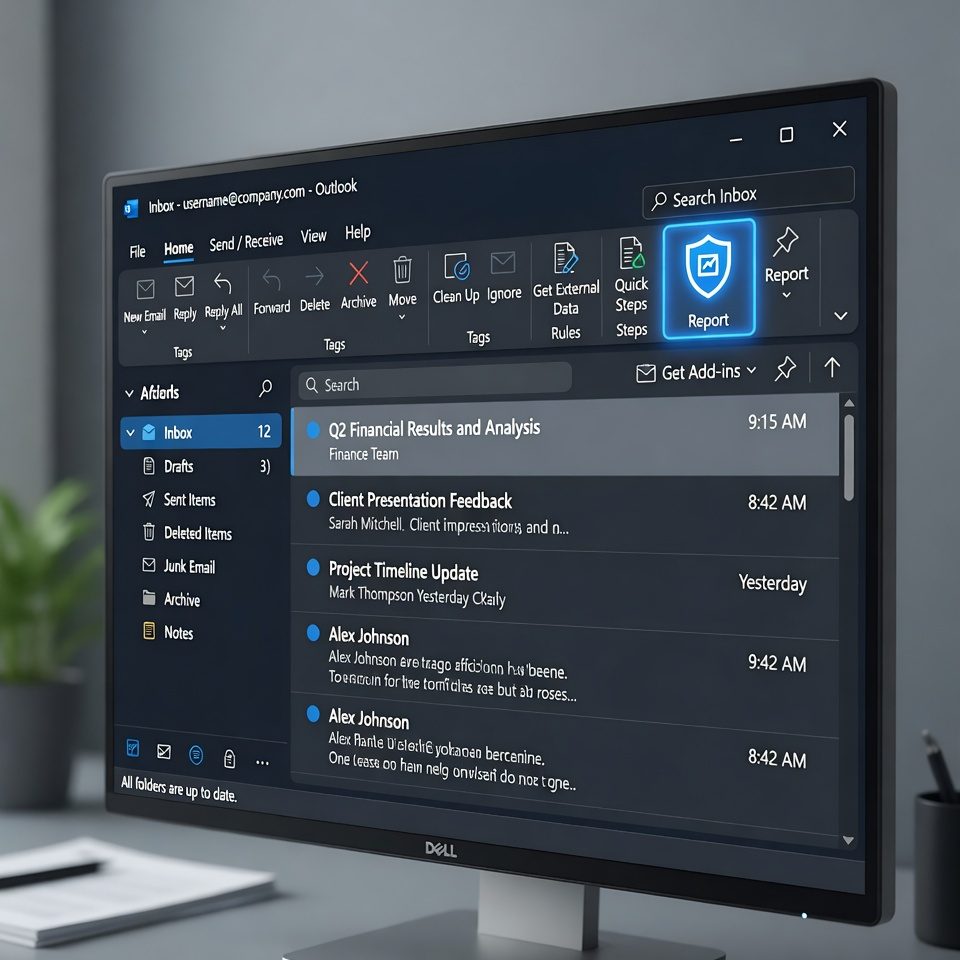
With our Outlook add-in, staff can report suspicious emails directly from the Outlook desktop application or Outlook in the browser. The add-in appears as a button in the toolbar and enables the message to be securely forwarded to the security team with one click.
02
Web-based
Our web-based solution allows suspicious emails to be reported via a secure online form. Staff can forward the suspicious message or upload it by drag-and-drop, regardless of the email programme used.
Automatic analysis & forwarding to your IT or API
After clicking "Report phishing", everything happens automatically: the suspicious mail is analysed and forwarded, including metadata (headers, attachments, etc.), to your defined destination, either by email, to a SIEM or via API. A connection to our SecureIT dashboard is also possible.

Step 1
The suspicious email is reported with one click. No further actions are needed. The report automatically starts the analysis process in the background.
Step 2
The email is analysed together with header data, attachments and other metadata. Relevant information is extracted and prepared.


Step 3
The analysed data is transmitted to your defined destination, e.g. by email, SIEM or API.
Outlook Integration
Report phishing with one click
Your staff spot a suspicious email? One click is enough. The message is automatically forwarded to your security team, including all relevant metadata for the analysis.
Instant reporting
Directly from the inbox, without detours
Automatic analysis
Headers, attachments and links are captured
No training required
Intuitive to use for all staff members
Works with:
Outlook Desktop
Outlook Web
Any browser
Outlook
?
support@pay-pal-secure.com
Suspicious
me
Urgent account verification required!
⚠️ This email contains suspicious characteristics
Successfully reported
Security team has been notified
Data protection & Swiss hosting guaranteed
As a Swiss company with hosting in Swiss data centres, we guarantee you: no data leaves the country. Our plugin stores no content on third-party servers, everything is forwarded in compliance with data protection regulations. Ideally suited for sectors with high requirements such as financial service providers or public authorities.

Frequently Asked Questions
All about Office and phishing
01
Does it work with Microsoft 365?
Yes, fully compatible, including web access via Outlook in the browser.
02
What does the add-in cost?
Licence model from CHF 4.- per user / month, volume discounts possible.
03
How long does the installation take?
Under 2 minutes, possible without IT knowledge.
Get in Touch with Us
We look forward to your enquiry